Instant mode prepares the clip while you record. After you stop, Tellclip completes the upload without opening the editor.

Record with Instant mode

1

Turn on Instant mode

Click the lightning button beside Record to turn on Instant mode. The button turns yellow.
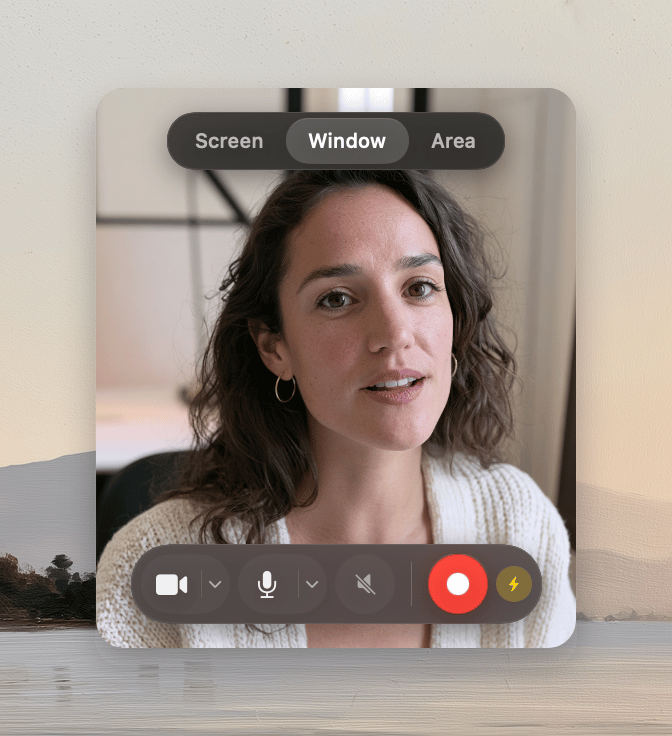
The Tellclip recorder with Instant mode active
2

Choose the recording inputs

Choose what to record. Set the camera and audio controls as needed.
3

Record the clip

Click Record. When you finish, click Stop recording.
4

Share the link

Tellclip finishes the upload and opens the clip page. If that setting is off, Tellclip copies the link instead.
Instant recordings do not get automatic zooms. If you add a zoom later, Tellclip processes the clip again before sharing.

Edit instead of uploading

Click Edit in the Instant progress panel. Tellclip stops the upload and opens the recording in the editor.

If Tellclip opens the editor instead

An upload, sign-in, subscription, or network error can cause this fallback. Your recording remains available for editing.

If the browser does not open

Open Settings → Recording. Turn on Open the clip page after the first upload.