Framing controls change how the recorded screen sits on the clip canvas. Select a background other than None before you change the framing.

Change the canvas

1

Open Style

Select the Style tab.
2

Choose the canvas ratio

Open Aspect ratio and select the required ratio.

Adjust the screen frame

Change only the controls that apply to your clip:
  • Use Inset Padding to show more or less background.
  • Use Corner Radius to round the screen corners.
  • Use Shadow to separate the screen from the background.
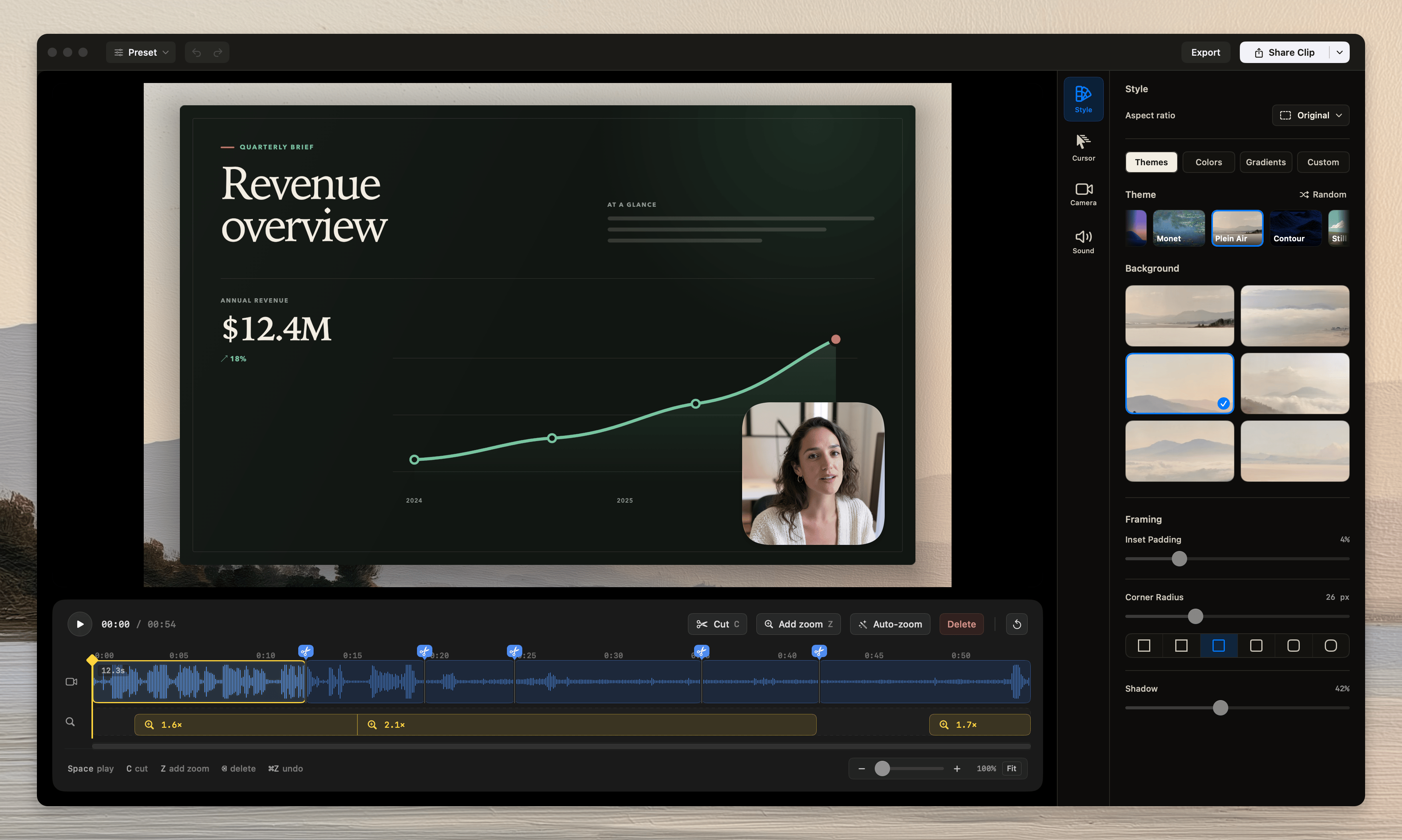
The Tellclip editor with the Style and Framing controls
The preview and exported video use the same canvas ratio and screen frame.

Common errors

Framing controls are dimmed

Select a background other than None.

The screen content becomes smaller

Decrease Inset Padding. A larger inset leaves more background around the screen.