

Find the editor controls
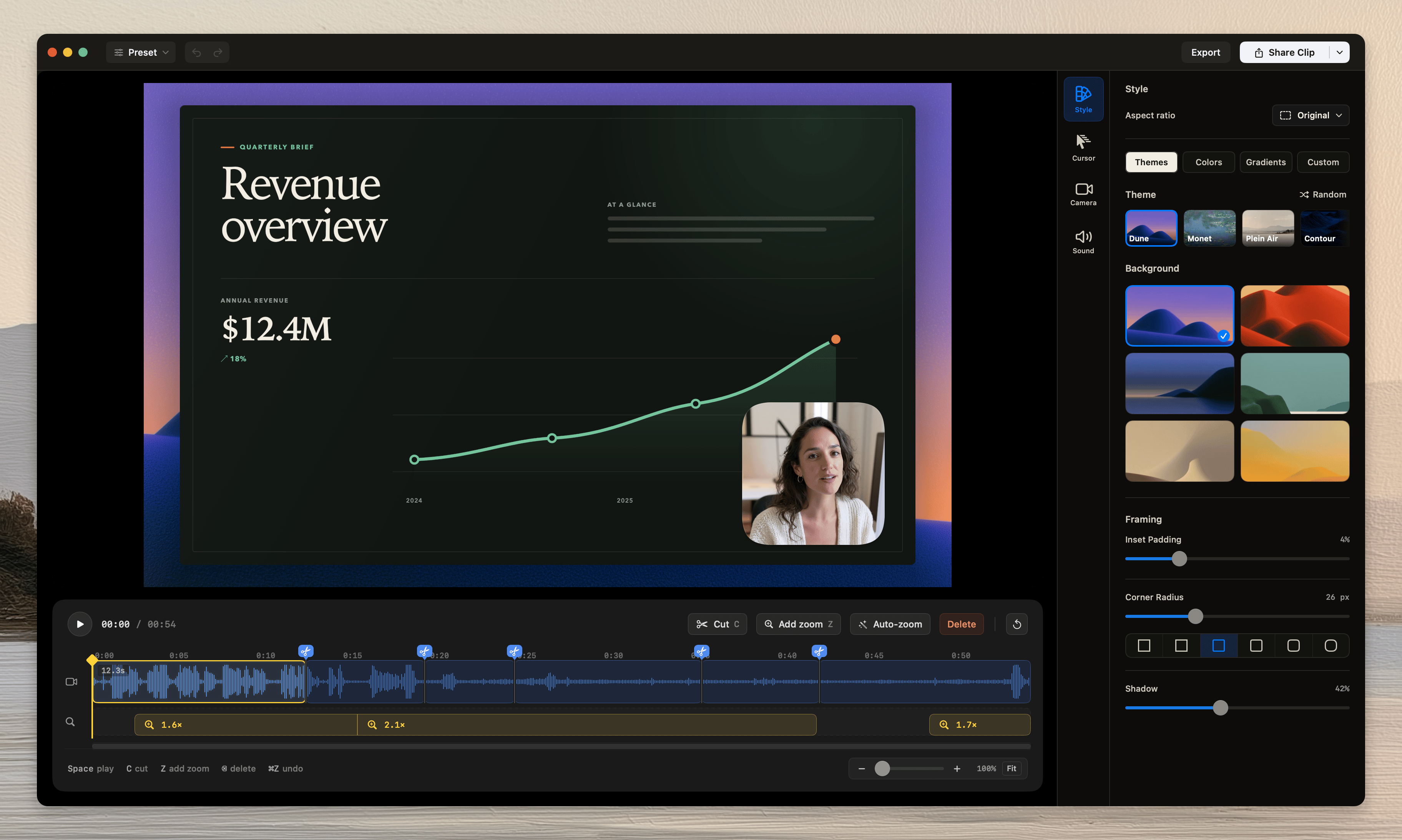
If the recording includes a camera track, the Camera tab appears. If audio exists, the Sound tab appears.
Make and review an edit
Drag the playhead to move through the recording. PressSpace to play or pause.
Select the inspector tab for the change. Then change the required control.
If you need to undo an edit, press Command-Z. You can also use the undo button in the top bar.
When the recording is ready, click Share Clip or Export.
Tellclip saves each editor change with the local recording. The preview and exported video use the same visual settings.
Open a recent recording
1
Open Recent Clips
Open Recent Clips from the Tellclip menu-bar menu.
2
Choose the recording
Click a row, or use Open in Editor from its menu.