BUILT FOR THE AGENT ERA
Show the work.
Move it forward.
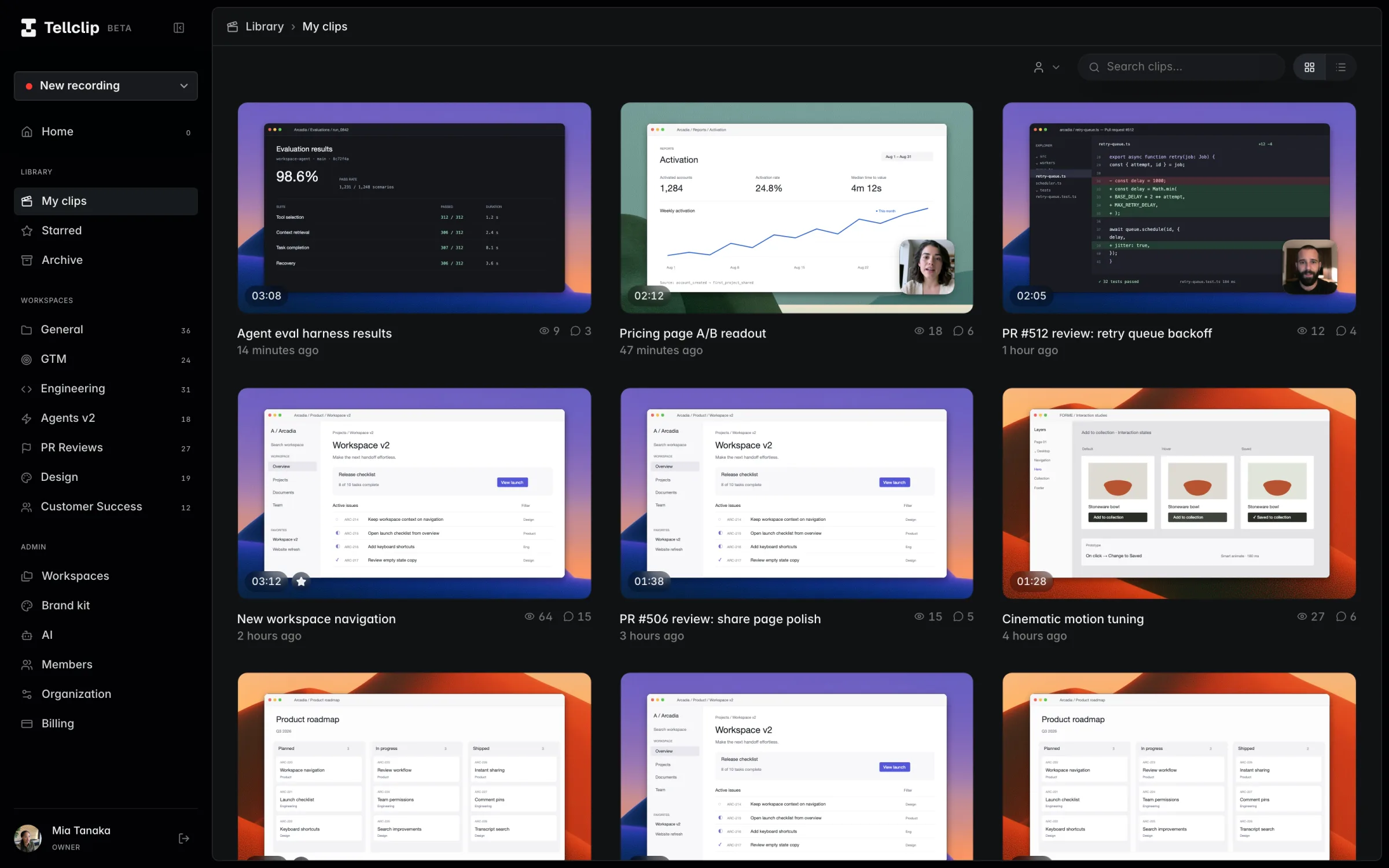
Beautiful screen recordings, made by you or your agents.
Ready to share. Ready to act on.
Requires macOS 15 Sequoia or later · Apple silicon · Windows coming soon

WORKS WITH ANY AGENT
Put your agents
to work.
Record a demo, refine a clip, or build from
what your team shared.




Show what happened.
Keep the context.
Record the bug, the integration, or the edge case. Give teammates and customers a walkthrough they can replay while they work.
Edit, share, and export.
Add zooms and backgrounds.
Add auto-zooms based on your clicks. Choose a background and adjust the framing.
New edits. Same link.
Share and update your clip.
Instant mode uploads as you record. Update your clip later. Your link stays the same.
VIDEO / GIF / WEBP
Export a file.
Save video up to 4K at 60 fps, or export a GIF or animated WebP.
Already in the flow.
Nothing new to learn.
Tellclip fits the Slack habits your team already has. Clips, summaries, reactions, and replies show up where the conversation is already happening.
Launch review is ready — full walkthrough here: tellclip.com/v/share-1


Feels native
on day one.
Watch the clip and scan its summary right inside Slack.
Notified where
you already work.
Every comment, reply, and reaction arrives as a Slack DM. No second inbox to check.
One click back
to the full library.
Every clip shared in Slack keeps its chapters, transcript, and comments in Tellclip.
Feedback,
right where it belongs.
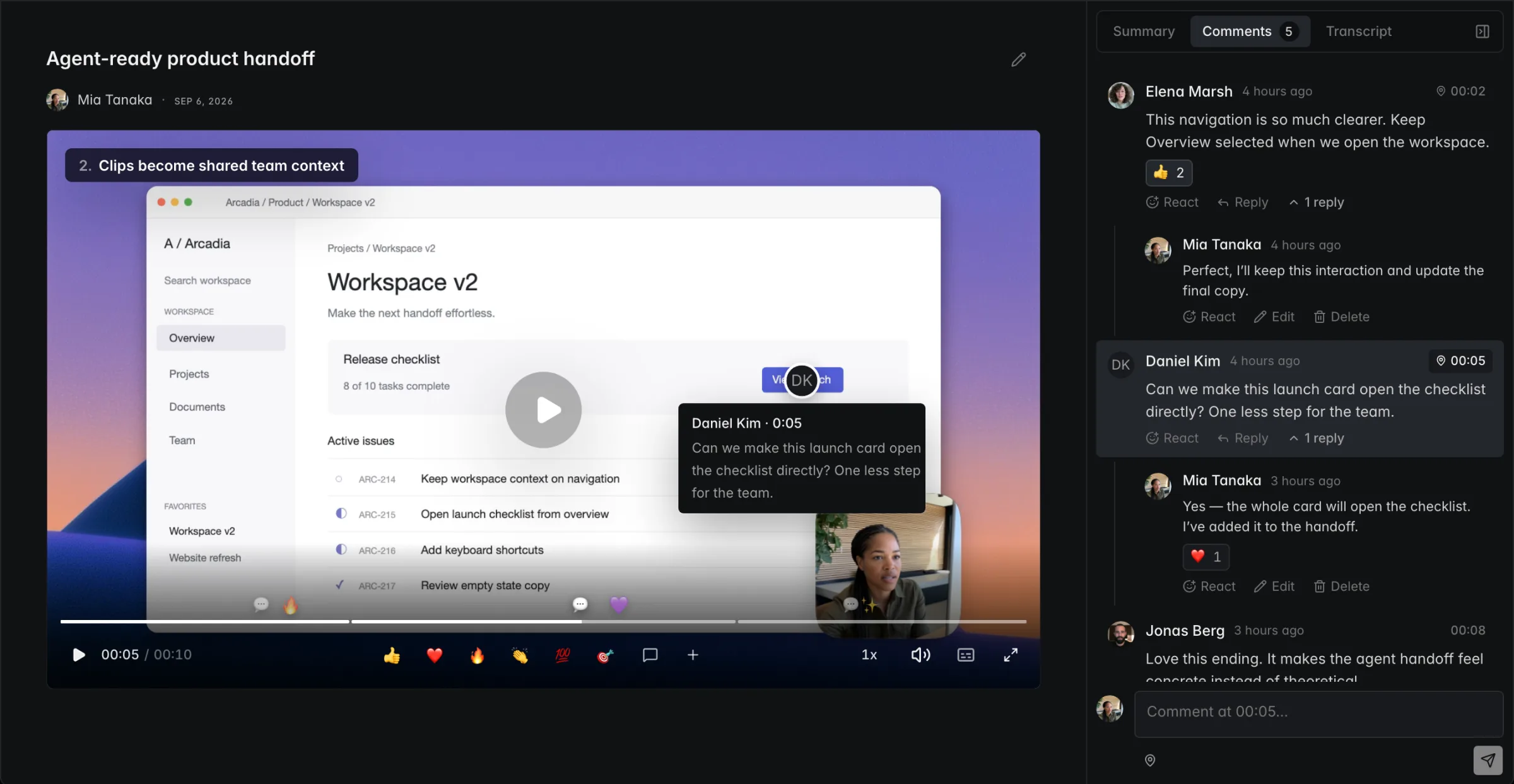
Pin comments to the exact moment and spot. Reply or react with an emoji. Keep people in the loop with Slack notifications, and let agents pick up the feedback.
Start with the work
in front of you.
Record, polish, and share from your Mac. Give your team and agents the context to move the work forward.
macOS 15 or later · Apple silicon